When regression tests fail in RTL simulation, tracking down the exact clock cycle where internal state begins to diverge can require comparing two traces side by side. RouteWave provides multi-source comparison commands directly inside the interactive console, allowing engineers to load candidate traces alongside a reference capture.
Loading a Comparison Trace
To open a reference trace and load a candidate capture on startup, pass the reference file on the command line together with the --command option:
routewave golden.vcd --command "compare load test.vcd as B"
You can also run the command directly from the RouteWave console during an active session:
compare load test.vcd as B
The console tags the existing capture as source [A] and prefixes the loaded signals from the second file with source [B]. Both captures share the central time axis, synchronizing pan and zoom operations across channels.
Generating Diff Channels and Markers
Once both sources are loaded, run compare diff in the console to evaluate signal value mismatches:
compare diff
RouteWave matches signal hierarchies across sources [A] and [B] and generates one channel per matched pair (diverging or not). To review total mismatch statistics across all matched pairs, run compare summary.
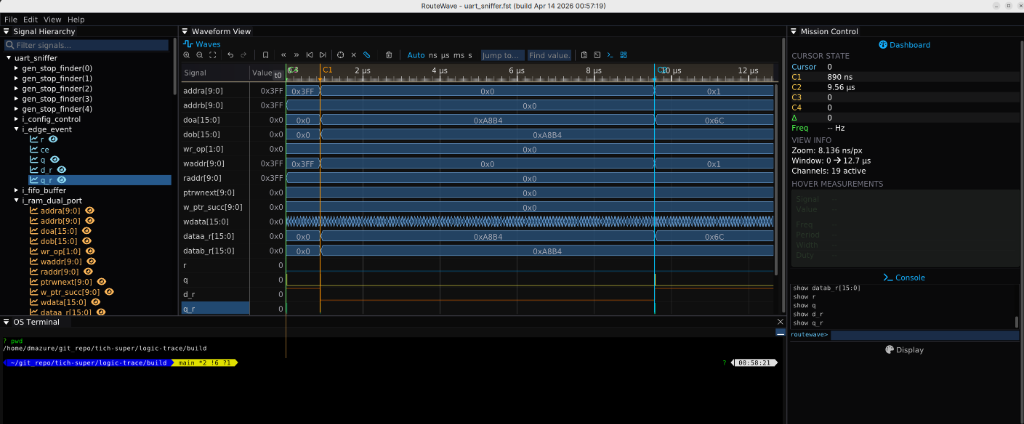
To annotate a divergence point for inspection, add a persistent named marker at the target timestamp:
marker add divergence 1240
You can jump between identified points with marker goto divergence or list all saved positions with marker list. To automate repetitive comparison sessions, save console sequences into .ltr macro tapes and invoke them with exec <script.ltr> or via the --exec startup flag.